NODVERA
Servlume app icon

Servlume

Offline PDF service reports with photos and signatures

Finish a service call and send a polished, branded PDF document before leaving the job site. Servlume combines before-and-after photography, visual annotations, completed work checklists, and on-screen customer sign-off in one streamlined workflow. It is free to download on Android, iPhone, and iPad, operating offline without requiring an account.

Screenshots

Features

Staged photos and non-destructive markup

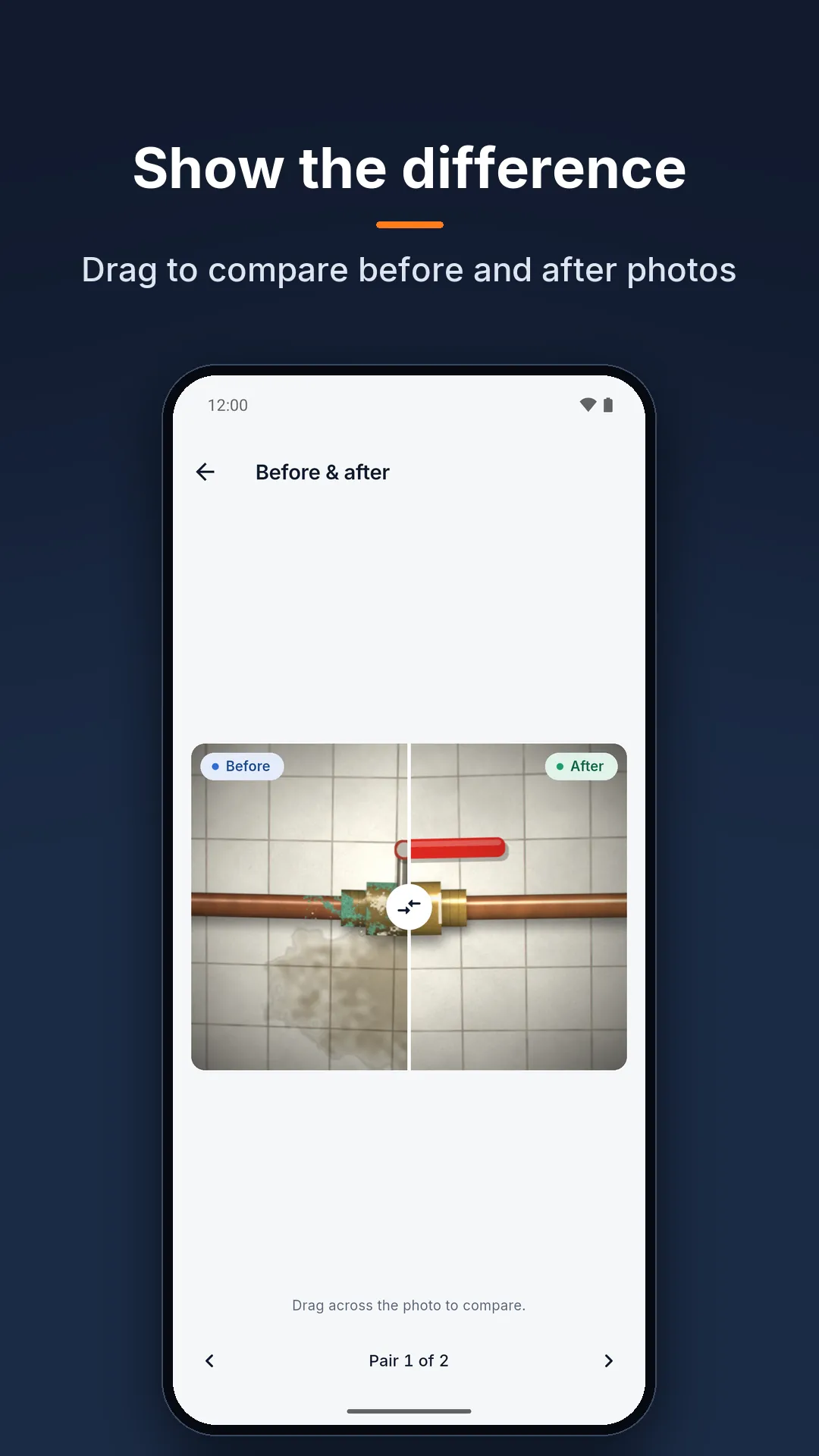
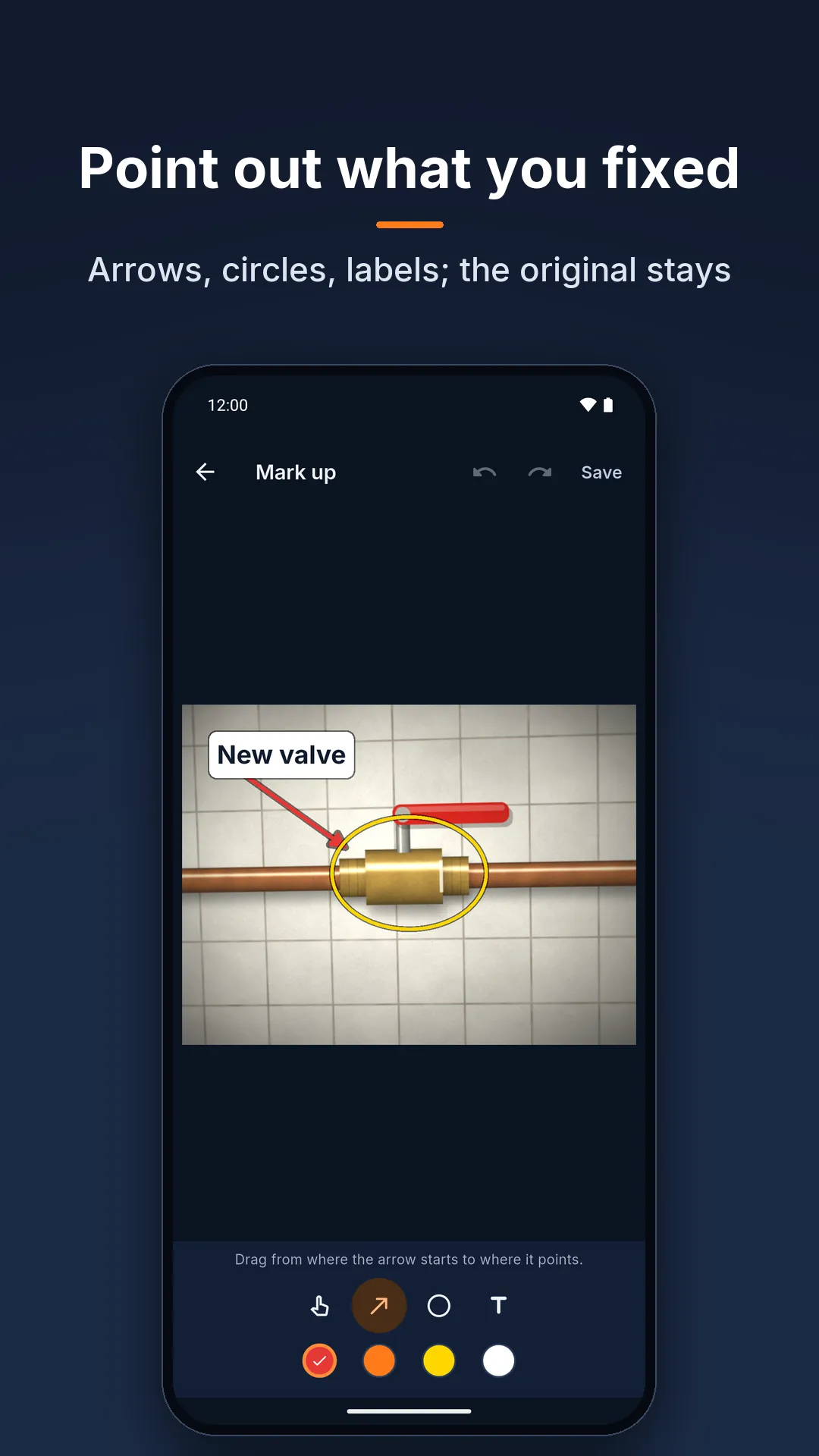
Organize images from your camera or gallery into Before, After, and Other stages, reorder them freely, and present changes with an interactive swipe slider. Annotate shots with arrows, circles, and text labels in four colours with undo and redo while keeping every original photo untouched.


Automatic timestamps and GPS coordinates

Each photo automatically records the date and time from your device clock to document when work took place. When location context matters, you can also stamp optional GPS coordinates from your device location service.

Branded, multi-page PDF layouts

Include your company name, contact details, address, brand colour, and logo across clean templates with automatic page numbering for longer jobs. Report output can be generated in English, German, or Turkish directly from your business profile.

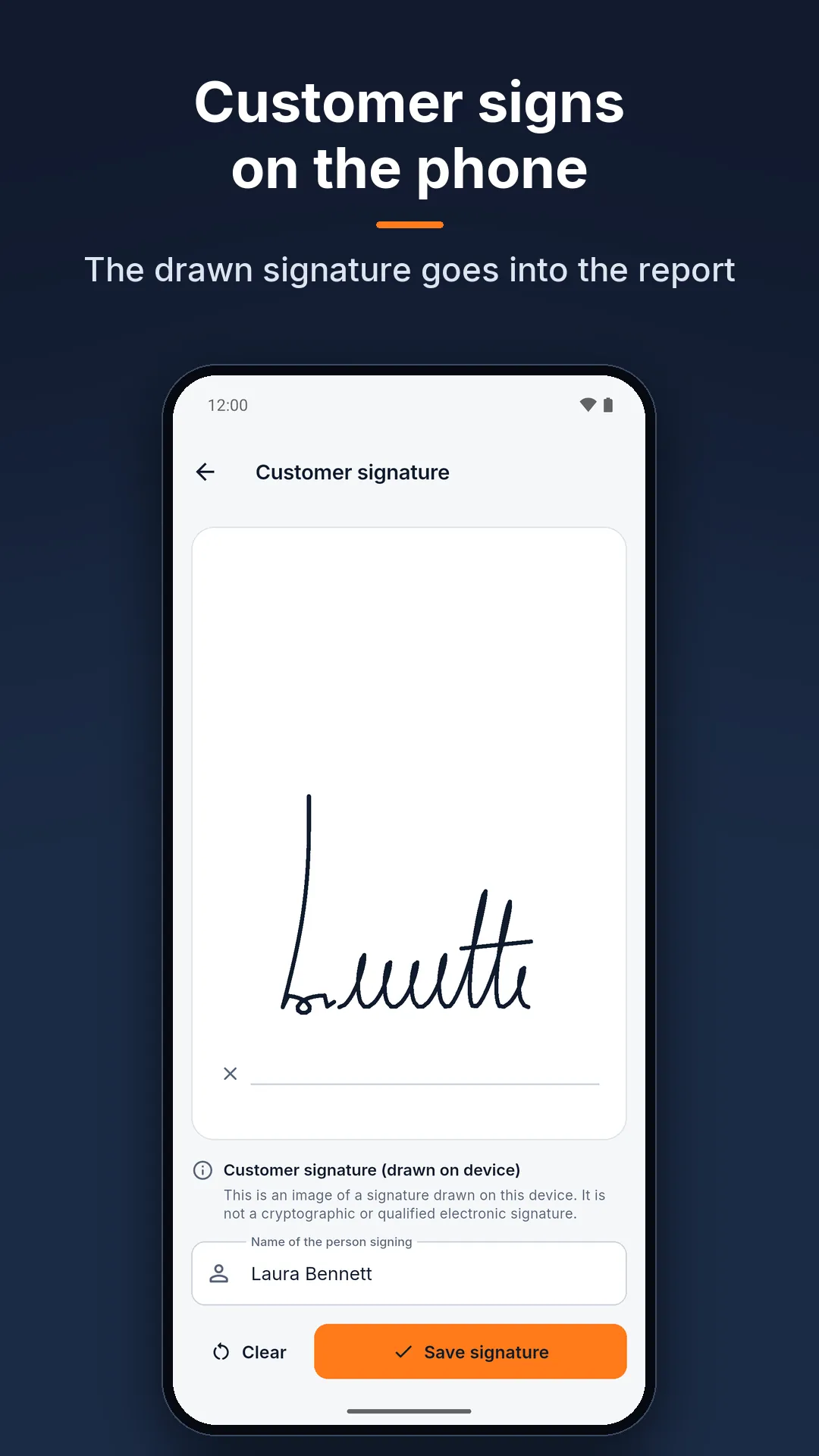
Work checklist and on-screen sign-off

Check off each completed task, attach closing remarks, and capture the customer signature directly on your screen. The drawn signature is embedded as an image inside the PDF together with the signer name and timestamp.

Reusable templates and job organization

Kick off recurring jobs faster with saved templates carrying default work lists, while every job receives a unique reference number automatically. Track today's work and recent reports on the home screen, search across customer or address fields, filter by Open, Completed, or Archived, and call or email clients straight from the job view.

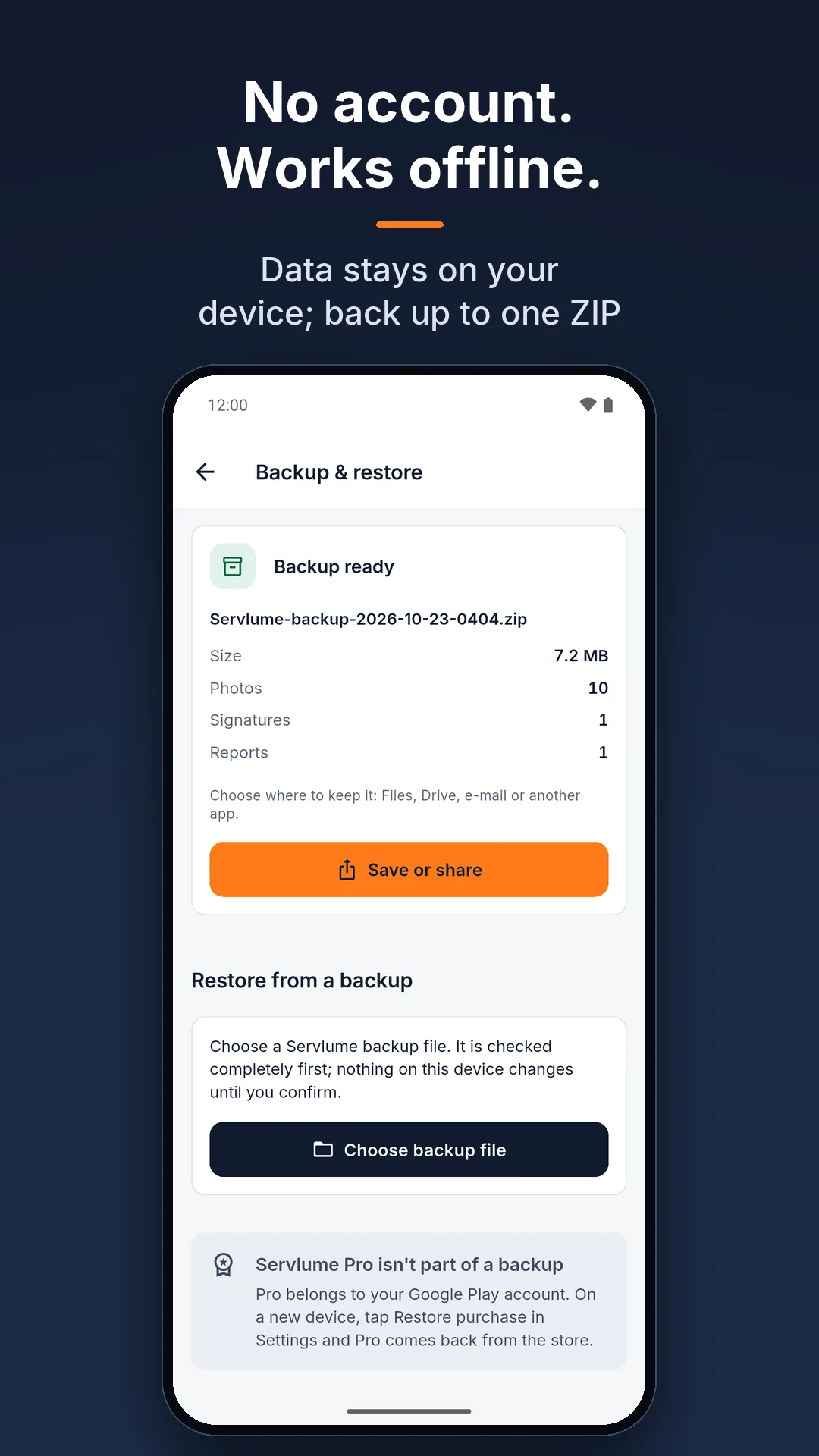
Offline workflow and verified ZIP backups

Everything from logging work to exporting finished PDFs runs locally on phones and tablets with light and dark mode support. Export all app data into one ZIP archive for safekeeping in Files, iCloud Drive, Google Drive, or email, with full integrity verification before any restore overwrites local records.

How it works

  1. Log the job details

    Enter the customer contact details, site address, and job description, or launch from a saved template with an automatic reference number.

  2. Document work and collect sign-off

    Capture Before and After photos, mark up key areas with captions, check off completed items, and have the customer sign on screen.

  3. Preview and share the PDF

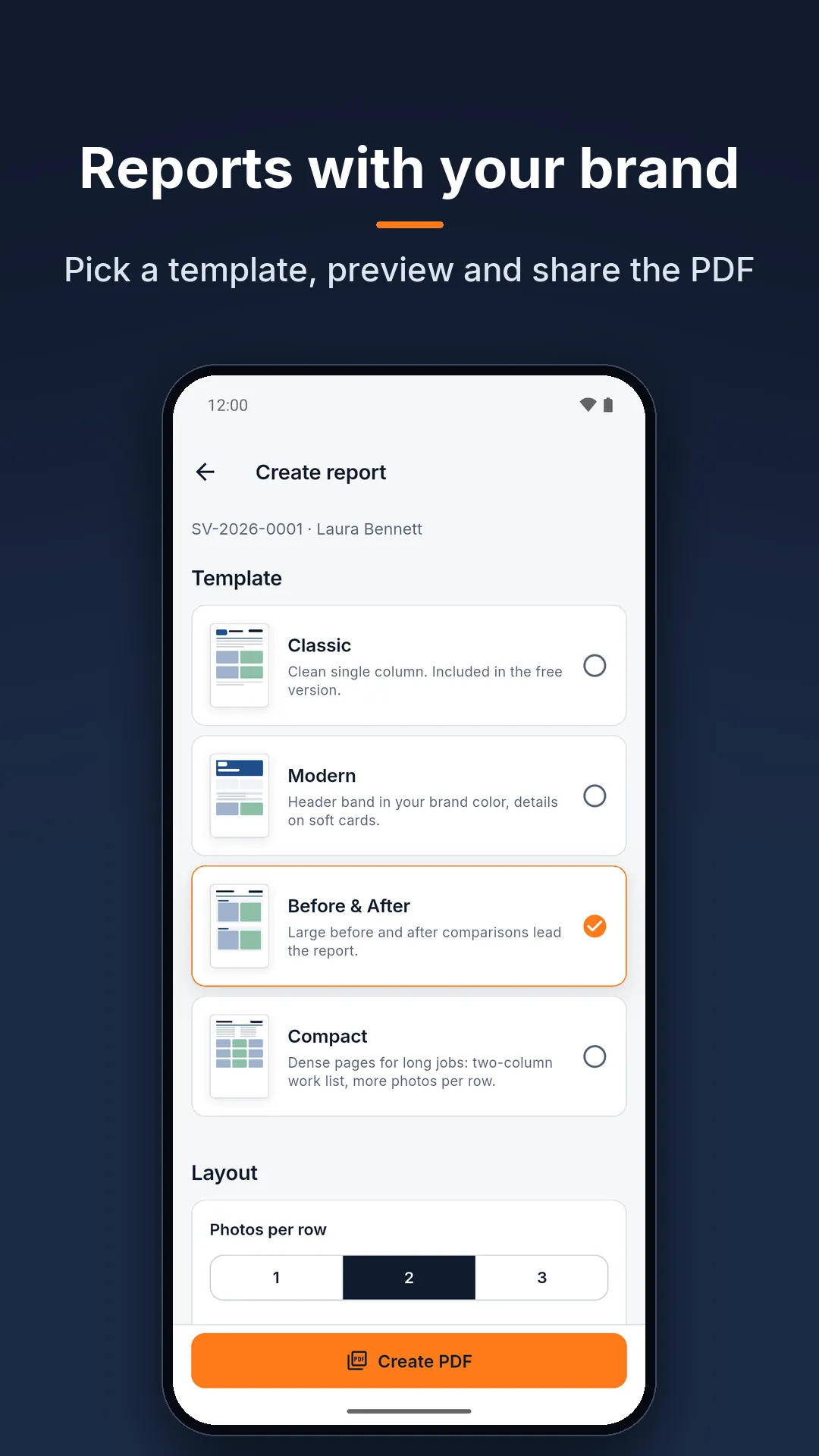
    Choose a layout template, inspect the finished PDF report, and send it out through email, messaging apps, or any share option on your device.

Privacy

Servlume keeps all jobs, photos, customer signatures, and generated PDF reports strictly on your device. There is no user account, no cloud synchronization, no advertising, and no analytics tracking. Whenever you want a portable copy, you can export your entire workspace into a single ZIP backup, and restoring verifies the complete archive before making any change on your phone or tablet.

Read the privacy policy →

Who it is for

Designed for solo technicians and small field service companies working across HVAC, plumbing, electrical, appliance repair, cleaning, pest control, facility maintenance, and handyman trades. It fits anyone who needs clear photographic proof, structured job records, and signed PDF documentation on phones or tablets without depending on mobile reception.

FAQ

Can I prepare service reports without mobile reception?

Yes. Creating jobs, taking and annotating photos, checking off tasks, collecting signatures, and generating PDFs all run locally on your device with no signal required.

Are my customer records or photos uploaded to a cloud server?

No. Every job entry, photo, drawn signature, and PDF report remains exclusively on your device, with no accounts, cloud sync, ads, or analytics.

Which languages are available for generated PDF reports?

You can set the output language of your reports to English, German, or Turkish from your business profile, then preview and share each PDF through email or messaging apps.

How do I move my jobs and reports to a new phone?

Back up all of your data into a single ZIP file and store it in Files, iCloud Drive, Google Drive, or email. When restoring on another device, Servlume checks the entire archive before modifying anything locally.

More apps