
NODVERA
Maintivra app icon

Maintivra

Offline home maintenance planner and equipment log

Routine upkeep such as replacing filters, checking detectors, flushing water heaters, or clearing gutters is easy to overlook until something goes wrong. Maintivra helps you build a tailored maintenance schedule in under three minutes and keeps you gently informed with local reminders. Free to download on Google Play, it runs entirely on your phone with no account or cloud dependency.

Screenshots

Features

Quick setup and curated templates

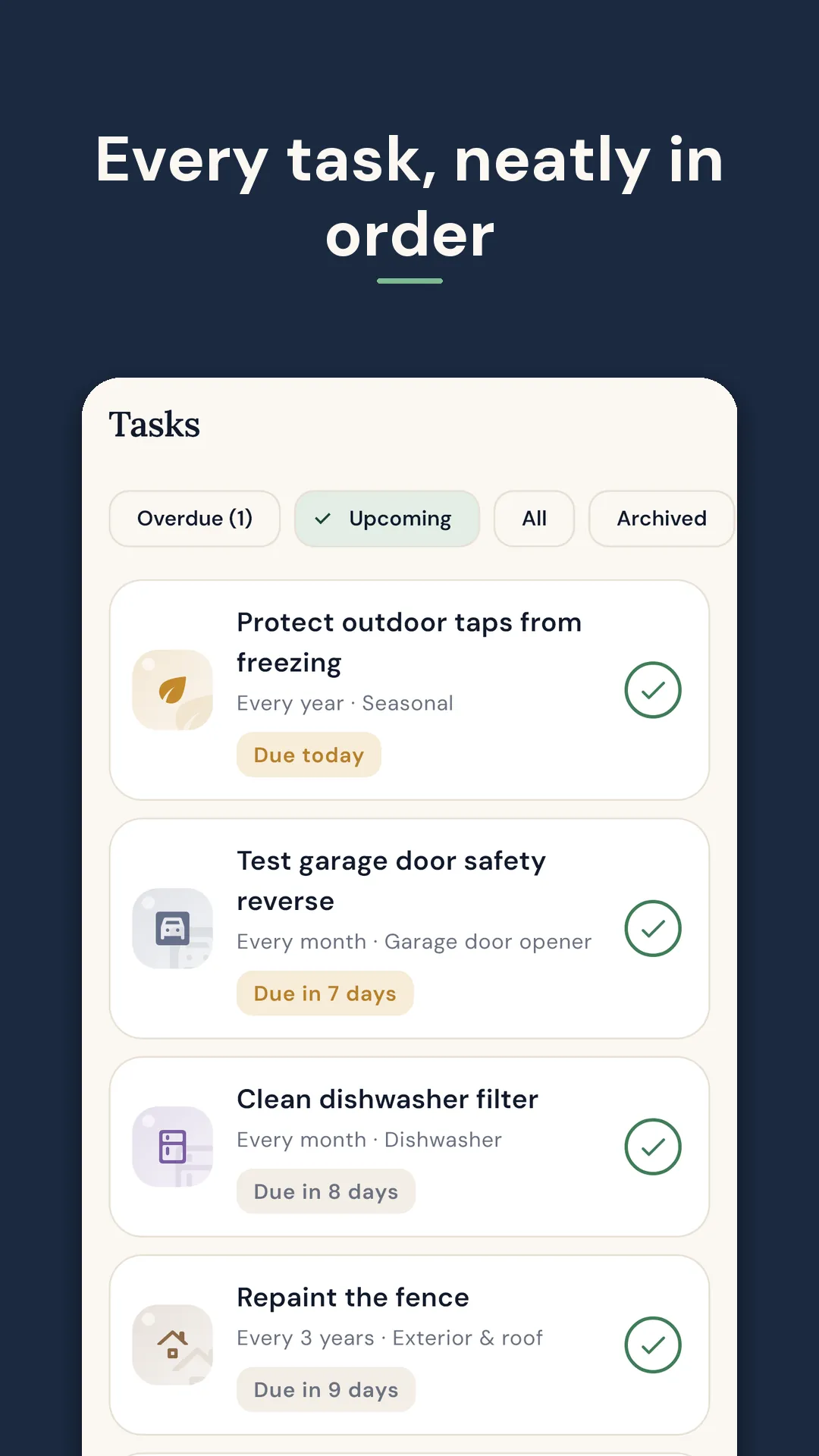
Pick your home type, country, unit system, and household equipment to generate a starting maintenance schedule in under three minutes. Templates are organized by category with editable suggested intervals, and initial due dates are staggered so everything does not land on day one.

Flexible schedules and reminders

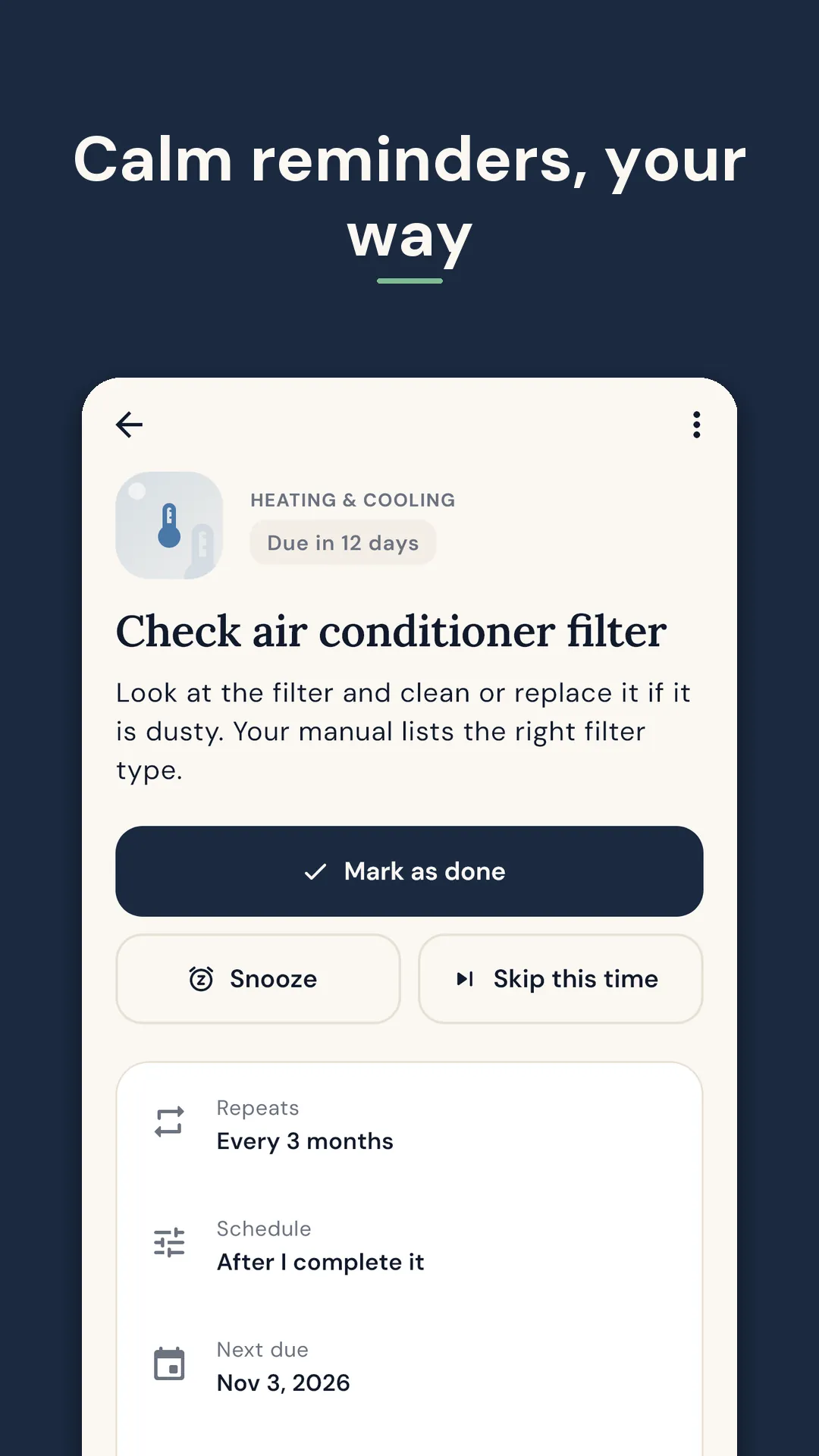
Repeat tasks by day, week, month, or year using either fixed calendar dates or intervals counted after completion. Snooze or skip items when plans shift, and rely on local notifications built to stay accurate across daylight saving and time-zone changes.

Property and equipment records

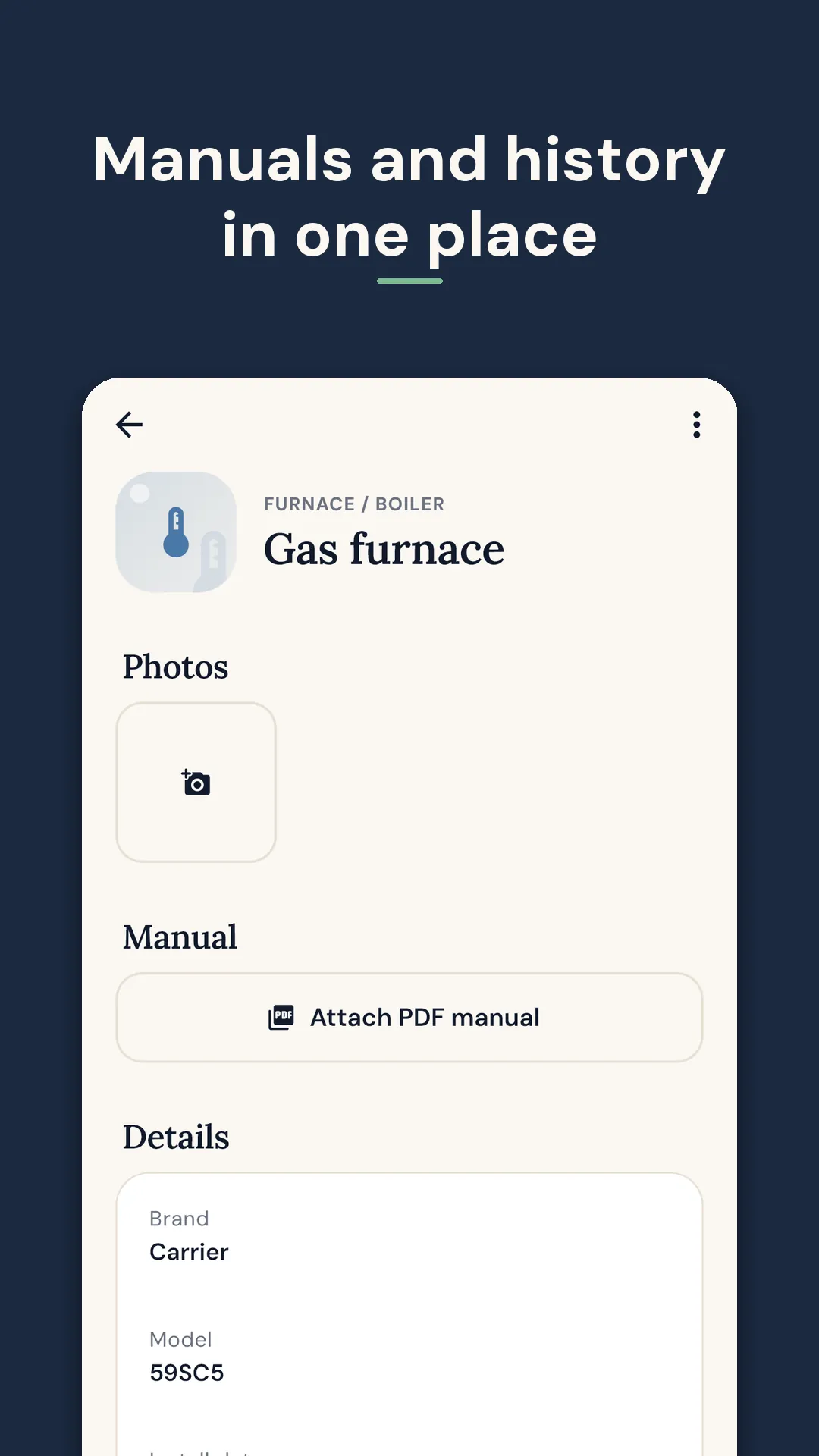
Create a clear property profile with your home's name, type, optional build year, rooms, and photo. For each piece of equipment, keep brand, model, serial number, purchase and installation dates, photos, PDF manuals, and notes in one place.

Dashboard, timeline, and history

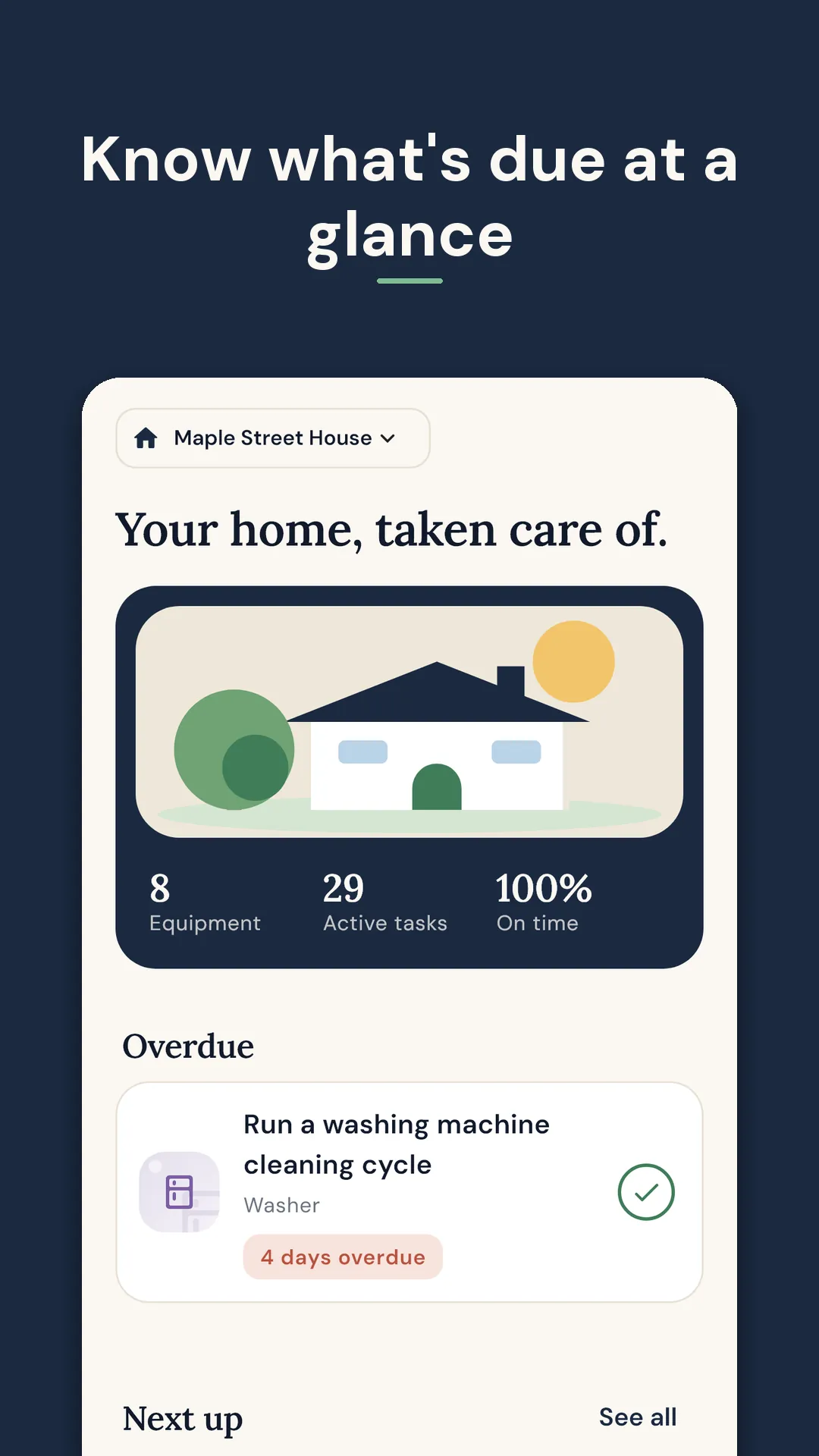
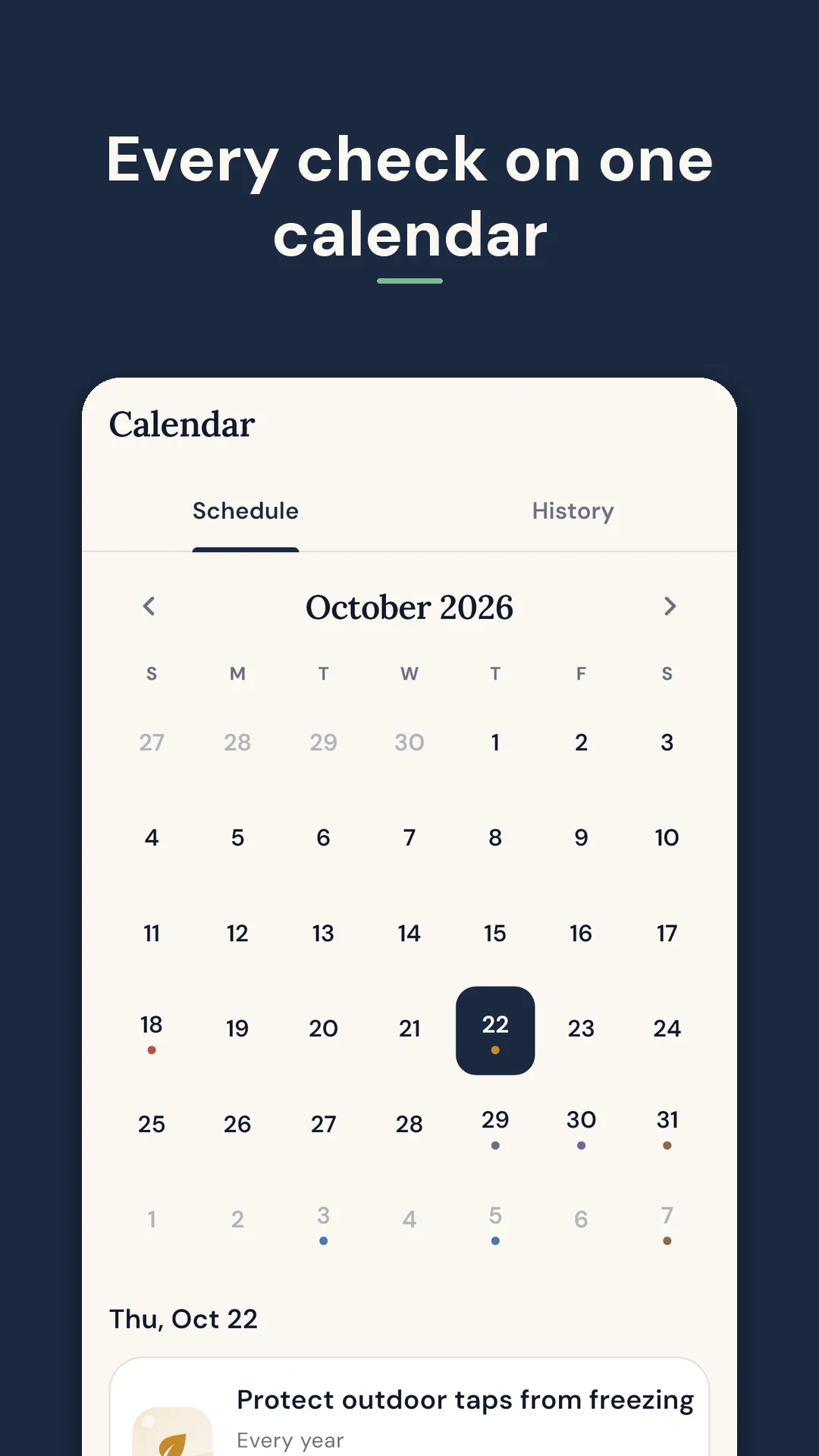
See upcoming tasks, overdue items, and work finished this month right from the home summary. Switch between a 30-day timeline, a calendar view, and a photo-backed completion history to check when any job was last done.

Safety-minded guidance

Suggested intervals serve as general starting points while always deferring to each manufacturer's manual. Maintivra avoids DIY instructions for gas or electrical tasks and flags them for inspection by a qualified professional.

Exports and full backups

Export your maintenance history as a PDF report or save your equipment inventory as a CSV file whenever needed. You can also back up and restore your complete local database and attachments using a single ZIP archive.

How it works

  1. Choose your home and equipment

    Select your home type, optional build year, measurement units, and the appliances or systems you have on site.

  2. Tailor your generated schedule

    Review the staggered task list Maintivra creates, switch off items you do not need, adjust intervals, or add custom tasks.

  3. Track upkeep as it happens

    Stay ahead with local reminders or the dashboard, and log completed jobs with notes and photos to build a lasting record.

Privacy

Maintivra requires no user account, uses no remote backend or cloud sync, and contains no ads. Property profiles, equipment details, photos, and PDF manuals stay strictly on your phone inside a local SQLite database and an app-private attachments folder. The app runs offline without transmitting your records, and you remain in control with full ZIP backups.

Read the privacy policy →

Who it is for

Designed for owners living in houses, apartments, or vacation homes who are not DIY specialists. It suits people who want a calm way to stay on top of recurring home care and help reduce the risk of unexpected surprises without wrestling with landlord portals, invoices, or lengthy setup.

FAQ

Do I need an account or internet connection to use Maintivra?

No. Maintivra runs entirely offline on your Android device without sign-up or cloud sync, keeping all schedules, photos, and documents stored locally.

How can I back up or export my home maintenance records?

Even without cloud sync, you can create and restore a full ZIP backup at any time, export your maintenance history to PDF, or export your equipment list as a CSV file.

Does Maintivra track warranties, receipts, or expenses?

No. It stays focused on maintenance scheduling and equipment context; purchase dates can be recorded alongside a device, but warranty tracking, receipts, and cost logs are outside its scope.

Are the suggested intervals fixed, and do tasks adjust for weather?

All template intervals are general suggestions that you can edit to match your manufacturer's manual. Seasonal tasks follow calendar schedules rather than weather automation, and gas or electrical items recommend a qualified professional.

More apps