NODVERA
PatternRail app icon

PatternRail

Row marker and counters for knitting and crochet PDFs

Follow your own knitting and crochet PDFs on a calm, distraction-free screen. PatternRail anchors a translucent row marker to your active line and pairs it with thumb-friendly counters so you can advance row by row with a single tap. It is free to download and works fully offline on your device without accounts, ads, or tracking.

Screenshots

Features

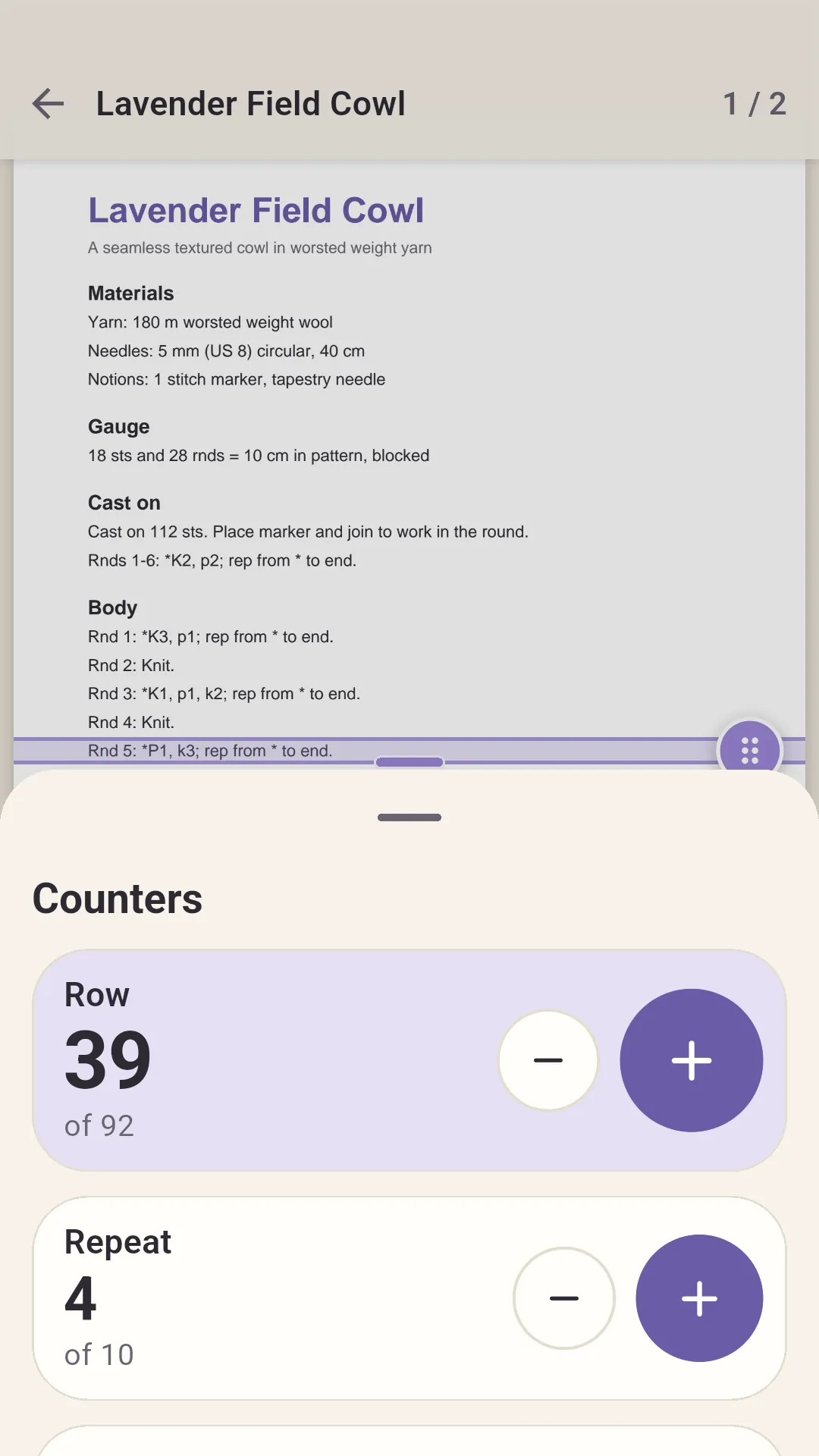
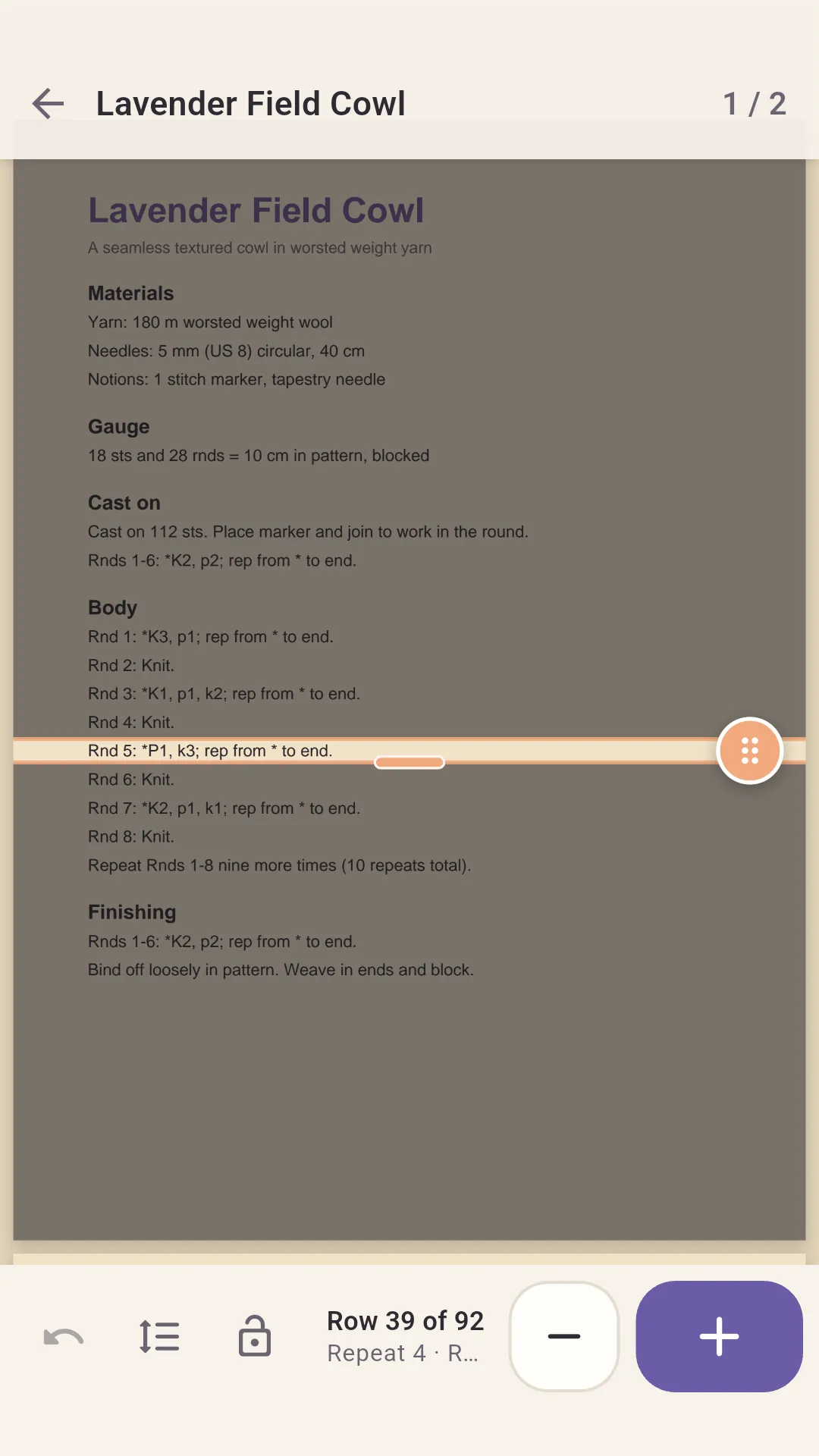
Anchored row marker

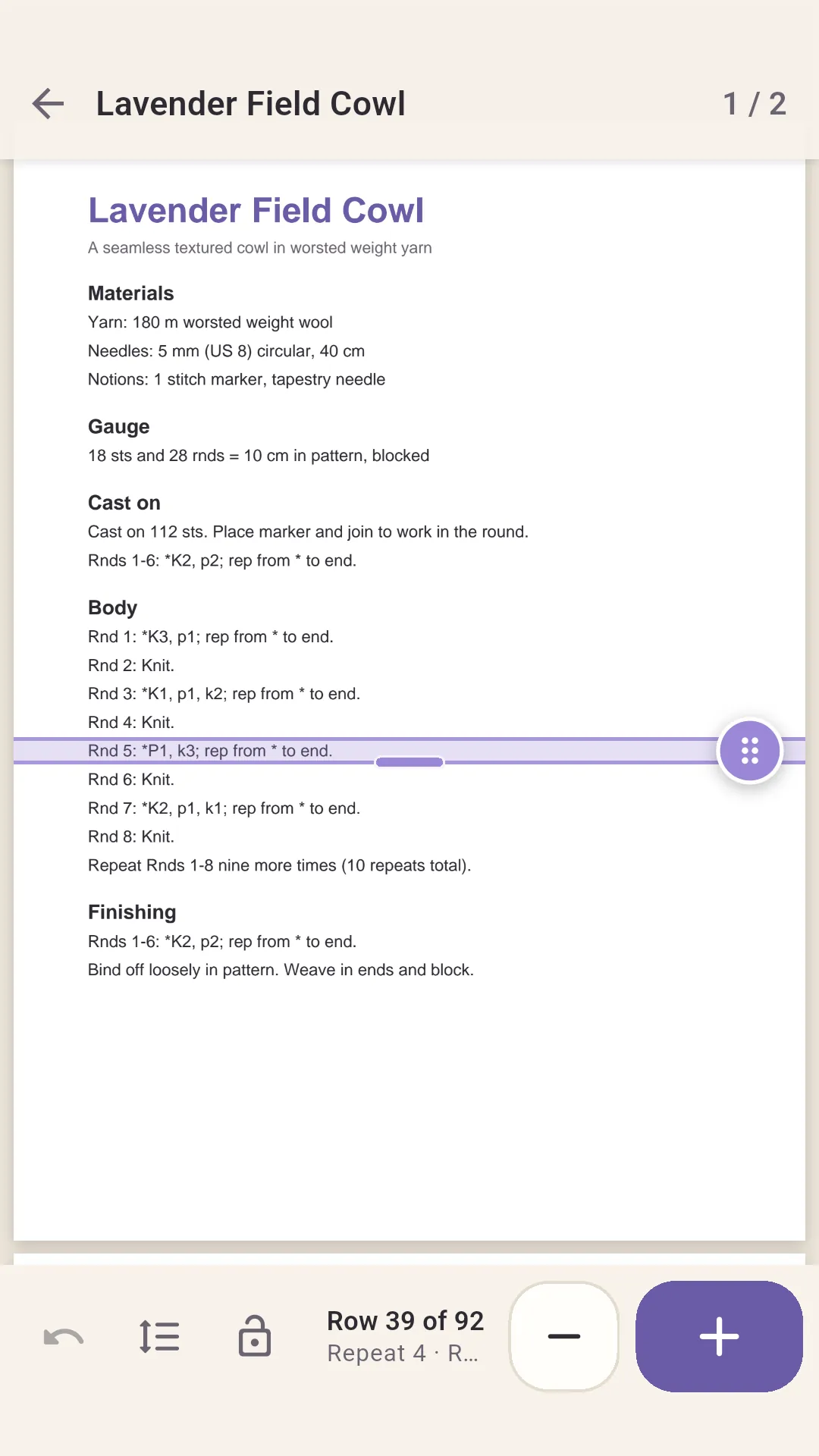
A translucent highlight rests on your current line and stays aligned through zooming, screen rotation, and days away from the project. Drag the handle to reposition it, resize the edge to fit your row height, long-press anywhere on the page to jump there, or lock and undo stray taps.


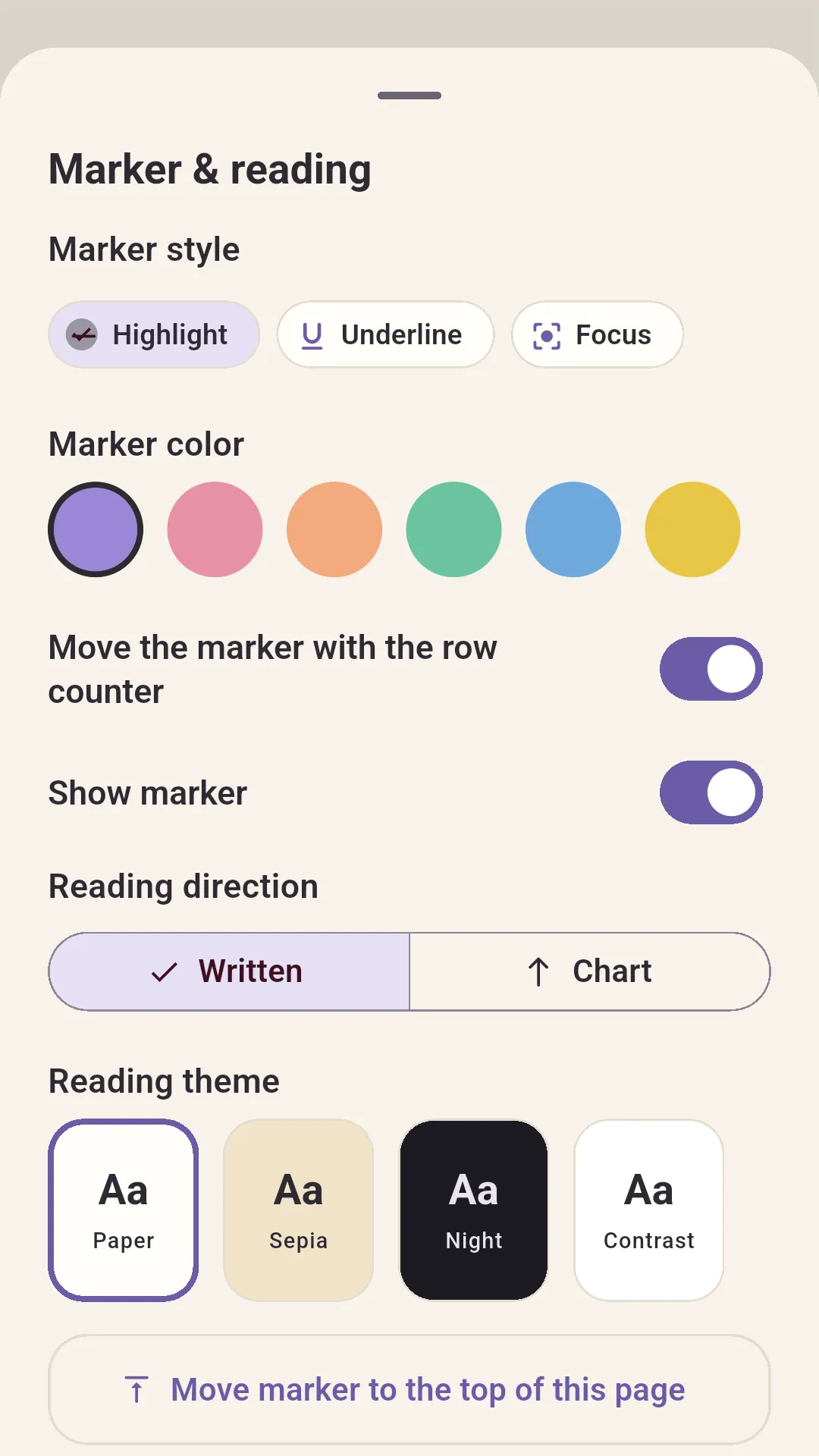
Written instructions and chart directions

Move from top to bottom through written patterns or from bottom to top when working through stitch charts. Every page in a multi-page pattern saves its own independent marker position.

Dedicated row and repeat counters

Keep a large primary row counter right under your thumb alongside extra counters for repeats, shaping decreases, or any detail you need to track. Auto-resetting repeat counters and linked counters simplify complex stitch sequences.

Comfortable layout for long sessions

Your pattern occupies the full screen while controls stay tucked into one slim bar, with keep-awake support, accidental tap protection, haptic feedback, and a left-handed option. Choose between light, dark, and specialized reading modes across phone layouts and a tablet view with a side counter panel.

Project library and broad PDF support

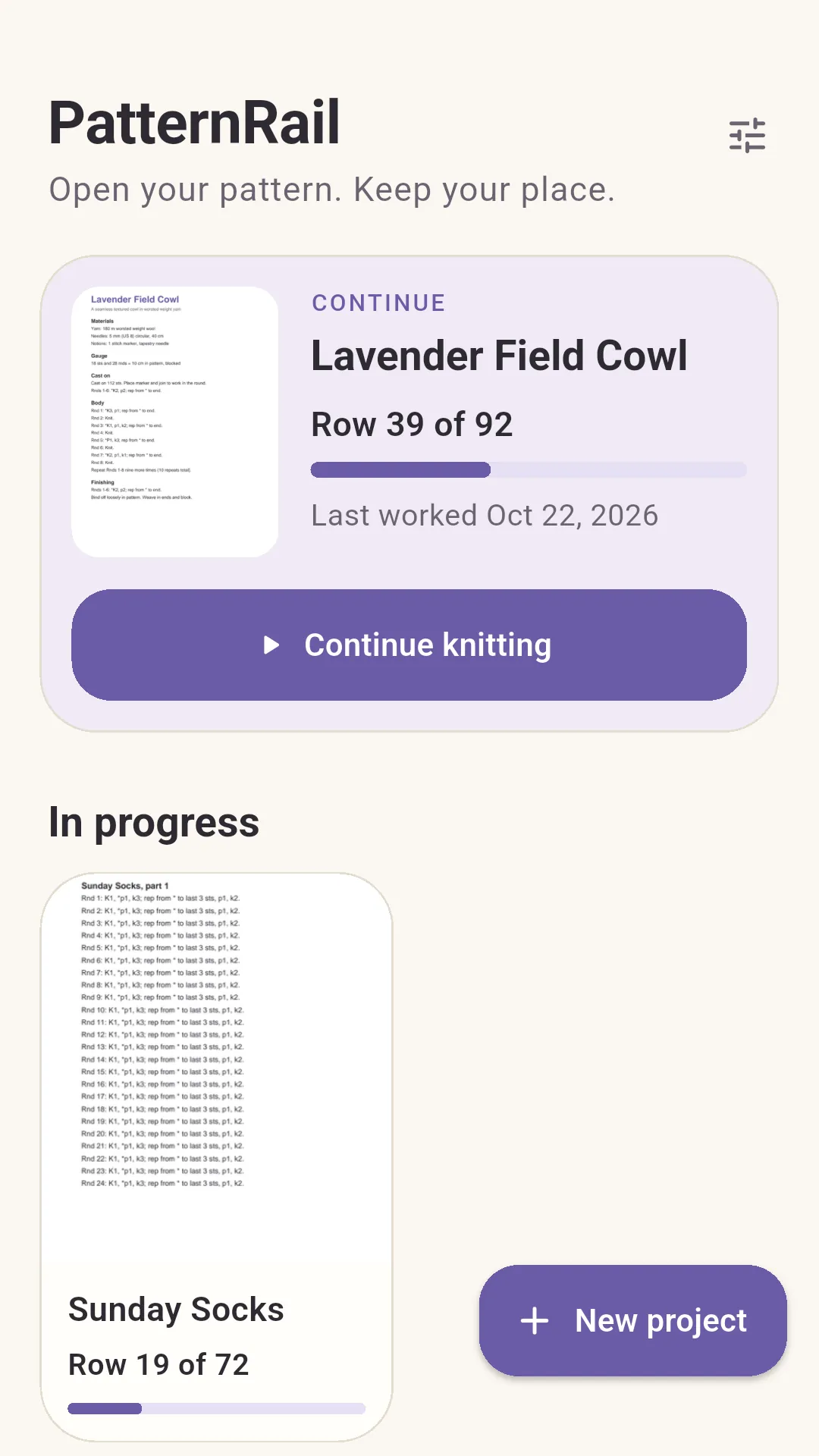
Organize works in progress with cover images, notes, total row targets, completion percentages, and session tracking. Both vector PDFs and scanned image-only PDFs, including lengthy patterns, open smoothly.

Safe local copies and ZIP backups

Imported PDFs are copied safely into the app, and if an original file is moved you can relink it without losing your progress or export your PDF anytime. Archive all projects, PDFs, covers, and counters into one ZIP file and restore them on another device.

How it works

  1. Import your PDF pattern

    Bring in a vector or scanned knitting or crochet PDF that you own and create a project entry with optional cover and notes.

  2. Position the marker and set counters

    Place the translucent highlight on your starting line or chart row, adjust its height, and set up any repeat or shaping counters you need.

  3. Tap through each row

    Use the large button to move to the next row as you work, check your completion percentage, and export a ZIP backup whenever you want a copy.

Privacy

PatternRail is built to keep your crafting private: it requires no account, shows no ads, and performs no user tracking. Your imported PDF patterns, project notes, covers, and counters remain stored locally on your device and work completely without an internet connection. Whenever you want to archive or move your library, you control the export through a single ZIP backup file.

Read the privacy policy →

Who it is for

Made for knitters and crocheters working from PDF instructions or stitch charts on sweaters, blankets, amigurumi, and everyday projects. It fits anyone reading patterns on an iPhone, iPad, or Android phone or tablet who wants a quiet, reliable row tracker that never loses their place.

FAQ

Does PatternRail come with built-in knitting or crochet patterns?

No. The app does not include patterns; it is a reader and row counter designed for the PDF patterns you already own.

Can I open password-protected or DRM-protected PDFs?

No. PatternRail does not remove passwords or DRM from protected files, and works with unlocked vector and scanned image PDFs.

Will the row marker drift if I zoom in, rotate my tablet, or close the app?

No. The highlight stays anchored to the exact same line across zooming, rotation, and restarts, and you can also lock it to prevent accidental moves.

How can I back up my projects or move them to another device?

You can back up every project, PDF, cover image, and counter into a single ZIP file at any time and restore that archive on another device.

More apps